
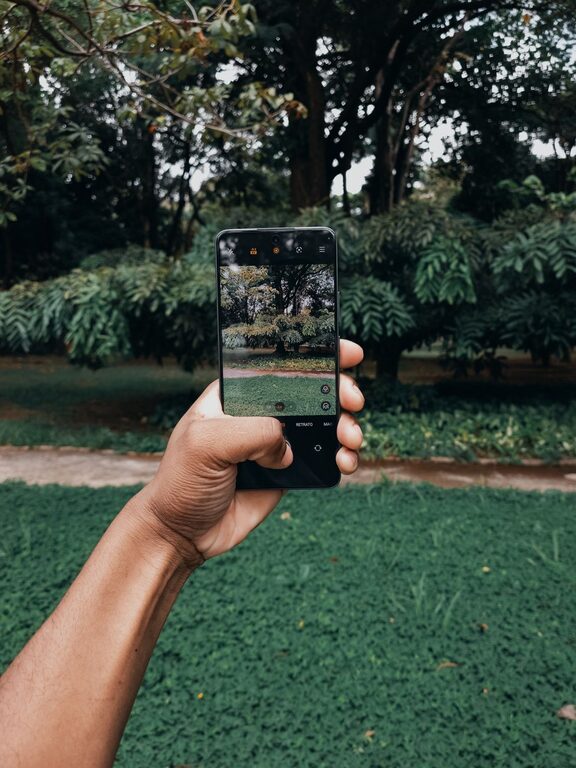
Taking great photos with your phone doesn’t require expensive equipment or professional training. With a few simple techniques and a little practice, you can dramatically improve the quality of your phone photos. Whether you’re capturing everyday moments, stunning landscapes, or portraits, these beginner tips will help you take better pictures and make the most out of your mobile device’s camera.
Understand Your Phone’s Camera
Before you start snapping away, spend some time exploring your phone’s camera features. Modern smartphones come packed with useful tools such as:
– HDR (High Dynamic Range): Helps balance bright and dark areas in your photo.
– Grid Lines: Divides the screen into thirds to help with composition.
– Portrait Mode: Creates a blurred background effect to highlight your subject.
– Pro or Manual Mode: Allows you to adjust settings like ISO, shutter speed, and white balance.
Take a few test shots using these features to see how they affect your photos and which ones you like best.
Keep Your Lens Clean
A simple but often overlooked step is to keep your phone’s camera lens clean. Since your phone is handled constantly throughout the day, the lens can easily get smudged with fingerprints, dust, or dirt, which will reduce image clarity. Use a microfiber cloth or a soft tissue to gently wipe the lens before taking photos.
Use Natural Light Whenever Possible
Lighting is one of the most important factors in photography. Whenever you can, try to use natural light instead of artificial lighting. Soft, natural light—such as early morning or late afternoon sunlight—creates pleasing tones and shadows without harsh contrasts.
Tips for Better Lighting:
– Avoid direct sunlight that creates harsh shadows or causes your subject to squint.
– When indoors, shoot near windows or doors where natural light comes in.
– If it’s too bright, find some shade or use curtains to soften the light.
Apply the Rule of Thirds for Balanced Composition
Composition refers to how the elements in your photo are arranged. One of the easiest ways to create balanced and interesting photos is by using the rule of thirds. This technique divides your frame into nine equal parts using two vertical and two horizontal lines.
How to use the Rule of Thirds:
- Turn on your camera’s grid lines.
- Place the main subject along one of the grid lines or at the intersection points.
- This creates a pleasing and dynamic flow, rather than centering everything.
Experiment with different placements and see how it changes the feel of your photos.
Keep Your Phone Steady
Blurry images often happen when the camera moves during a shot. To avoid this:
– Hold your phone with both hands.
– Tuck your elbows into your sides for extra stability.
– Lean against a stable surface if possible.
– Use the volume button or a self-timer to take the photo instead of tapping the screen, which can cause motion.
If you take photos often, consider investing in a small tripod designed for smartphones—it’s a handy tool for steady shots and creative angles.
Focus on Your Subject
Tap the area on your phone’s screen where you want the camera to focus before you take the shot. Most phones will adjust exposure and sharpness based on where you tap, ensuring your subject is clear and well-lit.
If you want to control the brightness, many phones allow you to slide your finger up or down to increase or decrease exposure after tapping to focus.
Explore Different Angles and Perspectives
Instead of always shooting from eye level, try changing your vantage point to add interest:
– Get low to the ground for unique close-ups.
– Shoot from above for flat lay photos.
– Capture reflections in water or mirrors.
– Look for leading lines to draw attention into the photo.
Moving around your subject and experimenting with angles can reveal creative shots and make your photos stand out.
Use Editing Tools to Enhance Your Photos
Post-processing can improve your photos by adjusting color, brightness, contrast, and cropping. Most smartphones have built-in editing apps that are easy to use and offer powerful features.
Basic edits you can try:
– Crop to improve composition.
– Adjust brightness and contrast for better balance.
– Increase saturation to make colors pop.
– Apply filters carefully—avoid overdoing it to keep photos natural.
There are also many free and user-friendly photo editing apps, such as Snapseed, Lightroom Mobile, or VSCO, which provide additional creative controls.
Avoid Using Digital Zoom
Digital zoom reduces image quality by cropping into the photo, resulting in grainy or pixelated images. Instead of zooming in, try moving closer to your subject whenever possible. If you need to get a close-up shot, use your phone’s optical zoom feature, if available, because it uses the camera’s lens rather than cropping digitally.
Backup and Organize Your Photos
To keep your photos safe and organized:
– Regularly back up your images to cloud storage platforms like Google Photos, iCloud, or Dropbox.
– Use albums or tags to sort your photos by event, location, or theme.
– Delete unwanted or blurry photos to free up phone storage.
A well-organized photo library makes it easier to find and share your favorite shots.
—
By practicing these beginner-friendly tips, you’ll notice a remarkable improvement in your phone photography. The key is to experiment, learn from each shot, and have fun capturing the world around you. Happy shooting!
