
Managing email can often feel overwhelming, especially when new messages keep piling up throughout the day. However, keeping your emails under control is essential for staying productive and reducing stress. In this post, we’ll explore effective strategies that help you organize your inbox, prioritize communication, and maintain good email habits. Whether you receive dozens or hundreds of emails daily, these tips will guide you toward a calmer, more manageable email routine.
Why Keeping Your Email Under Control Matters
An overcrowded inbox can cause missed messages, slower responses, and unnecessary distraction. When your email is disorganized, it’s easy to lose focus on your priorities. By managing your emails efficiently, you can:
– Save time by quickly locating important messages
– Reduce stress by avoiding a cluttered inbox
– Improve response time and communication
– Maintain a better work-life balance without constant email interruptions
Now, let’s get into practical ways to take control of your email.
1. Set Specific Times to Check Email
One of the simplest habits to develop is limiting how often you check your inbox. Constantly monitoring email can fragment your attention and waste valuable time.
– Schedule email sessions: Choose two or three times a day to check and respond to messages, such as mid-morning, after lunch, and late afternoon.
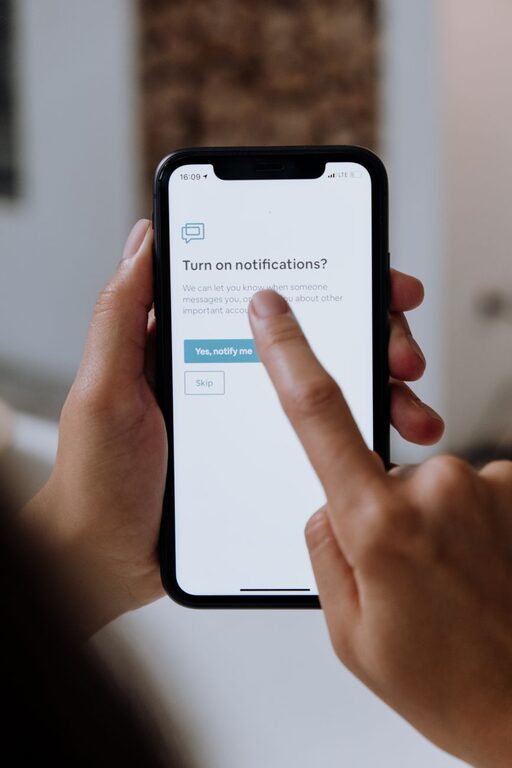
– Turn off notifications: Disable push alerts on your phone or computer so you won’t feel compelled to check every incoming message.
– Stick to your schedule: Use a timer if needed to avoid spending too long on email during these windows.
2. Keep Your Inbox Tidy with Folders and Labels
Organizing your messages helps you find what you need quickly and keeps important emails front and center.
– Create folders or labels: Group emails by project, priority, sender, or category.
– Use filters or rules: Automate sorting so incoming emails move to designated folders based on sender or keywords.
– Archive or delete regularly: Remove messages you no longer need rather than letting them accumulate.
3. Prioritize Emails Using the “Two-Minute Rule”
Not all emails require the same attention or time commitment. To manage your workload:
– If it takes less than two minutes, do it now: Reply briefly, file, or delete right away.
– For more involved emails, schedule a time: Mark them for later attention in your calendar or task list.
– Flag or star important emails: This visual cue helps you quickly identify high-priority messages.
4. Write Clear and Concise Emails
Improving how you write emails can reduce back-and-forth and streamline communication.
– Be direct: State your purpose in the first sentence.
– Use bullet points or numbered lists: Makes information easier to digest.
– Include a clear subject line: Helps recipients understand the email’s content quickly.
– Limit length: Keep emails brief and to the point whenever possible.
5. Unsubscribe from Unnecessary Mailing Lists
Over time, you may end up subscribed to newsletters or promotional emails you no longer read.
– Review subscriptions regularly: Identify emails that don’t add value.
– Unsubscribe: Most marketing emails have an unsubscribe link at the bottom.
– Use tools: Services like Unroll.Me can help manage and unsubscribe from multiple lists at once.
6. Utilize Email Tools and Features
Modern email apps come with features designed to help you stay organized.
– Snooze emails: Temporarily hide messages to deal with them at a better time.
– Templates: Save time with canned responses for common replies.
– Search functions: Use advanced search operators to quickly find specific emails.
– Integrate with task managers: Convert emails into actionable tasks if your app supports it.
7. Set Boundaries for Email Use
Maintaining control means setting limits on when and how you use email.
– Avoid replying in the middle of other tasks: Stay focused by batching email work.
– Don’t expect immediate responses: Communicate your email habits to colleagues.
– Limit email outside work hours: Protect your personal time to avoid burnout.
Summary: Your Roadmap to a Calmer Inbox
By adopting these simple practices, you’ll gain control over your email and free up time for your most important work:
– Schedule specific email-checking times and avoid constant monitoring
– Organize your inbox with folders, filters, and regular cleanup
– Apply the two-minute rule to handle quick tasks immediately
– Write clear, concise emails that reduce confusion
– Unsubscribe from unwanted mailing lists
– Use built-in tools to manage emails more efficiently
– Set boundaries to protect your focus and personal time
With consistent effort, managing your emails will become a less stressful and more productive part of your daily routine. Start implementing these tips today and see the difference in how you handle your inbox!

Related Posts